
Sub-Total: $0.00
Working with full outer joins

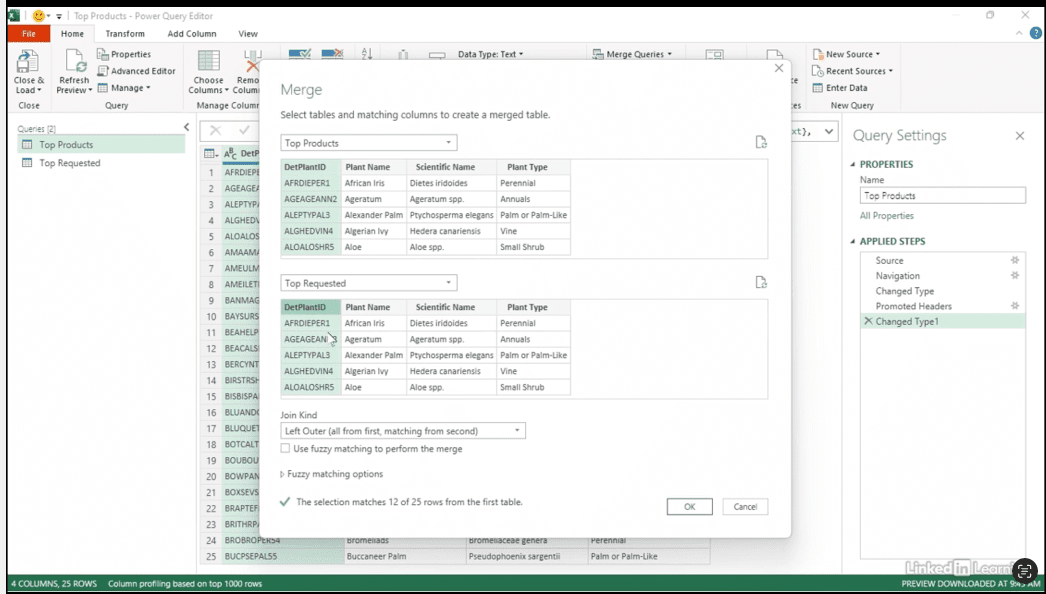
Discover how to compare and combine two lists of information to get the full picture. In this Data Survival Skills session, you’ll watch Robin use Excel’s Power Query to analyze top-selling products and top-requested products on the website. By performing a full outer join, she creates a complete dataset that shows both where the lists overlap and where they differ—helping you make informed decisions about what items to stock. Instead of running multiple separate queries, this method gives a clear, comprehensive view in one clean dataset.
#MicrosoftExcel #PowerQuery #DataMerging #DataTransformation #DataCleaning #FullOuterJoin #DataAnalysis #ExcelTips #SpreadsheetTools #DataIntegration #DataSkills

If you’re a data analyst, you’ve no doubt learned different skills, techniques, and tools pertaining to data. But sometimes it can be difficult to know when and why to apply these tools. In this weekly series, instructor Robin Hunt explains a new skill, secret, tip, technique, best practice, or golden piece of advice in each installment. Robin covers topics that can help you do your job better, such as joining data and data designs, privacy for data, transforming and cleaning data, and making data sets and visualizing data.
Note: Because this is an ongoing series, viewers will not receive a certificate of completion.