
Sub-Total: $0.00
Using Functions to Mask Data

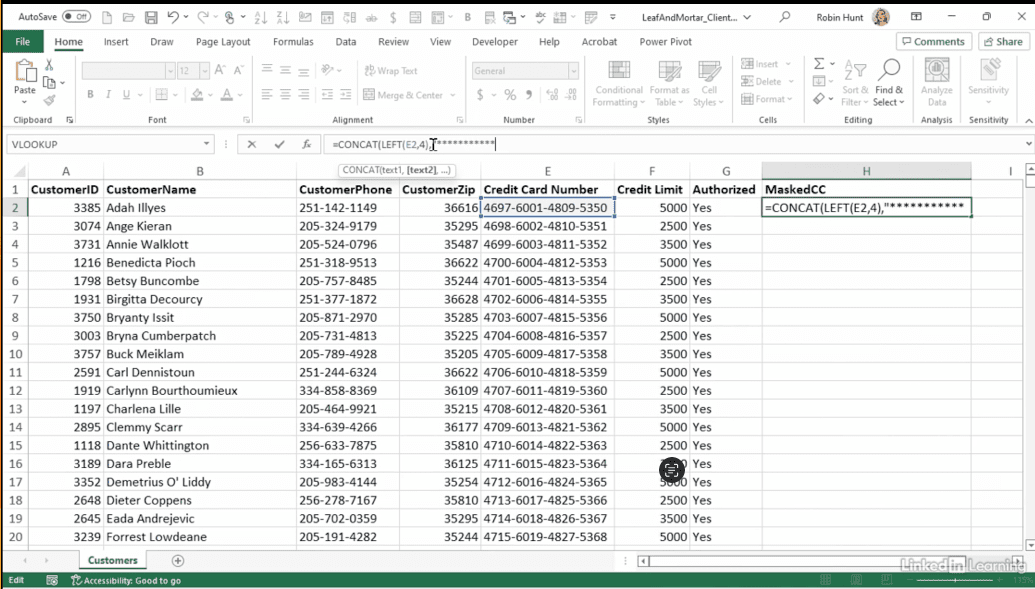
Learn how to protect sensitive information in reports and presentations by masking data in Excel. In this Data Survival Skills session, Robin demonstrates practical strategies for hiding confidential details—like credit card numbers—while keeping data useful for grouping, sorting, and analysis. Using Excel functions such as LEFT, CONCAT, REPLACE, and REPT, she shows how to reveal only the necessary parts of a value (e.g., the first four digits) while obscuring the rest. By converting formulas into values, you can safely share reports without exposing sensitive information, ensuring privacy while maintaining analytical power.
#Excel #DataSecurity #DataMasking #DataPrivacy #SensitiveData #BusinessIntelligence #DataAnalysis #DataCleaning #DataProtection


If you’re a data analyst, you’ve no doubt learned different skills, techniques, and tools pertaining to data. But sometimes it can be difficult to know when and why to apply these tools. In this weekly series, instructor Robin Hunt explains a new skill, secret, tip, technique, best practice, or golden piece of advice in each installment. Robin covers topics that can help you do your job better, such as joining data and data designs, privacy for data, transforming and cleaning data, and making data sets and visualizing data.
Note: Because this is an ongoing series, viewers will not receive a certificate of completion.