
Sub-Total: $0.00
Using Append queries to combine spreadsheets

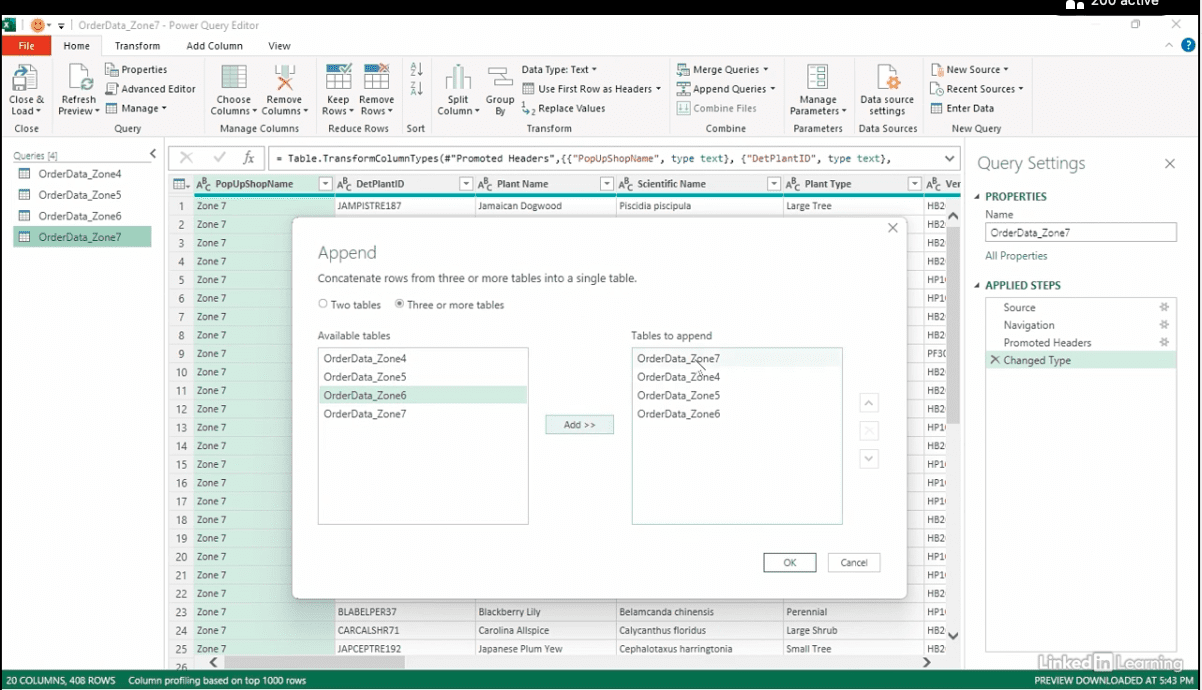
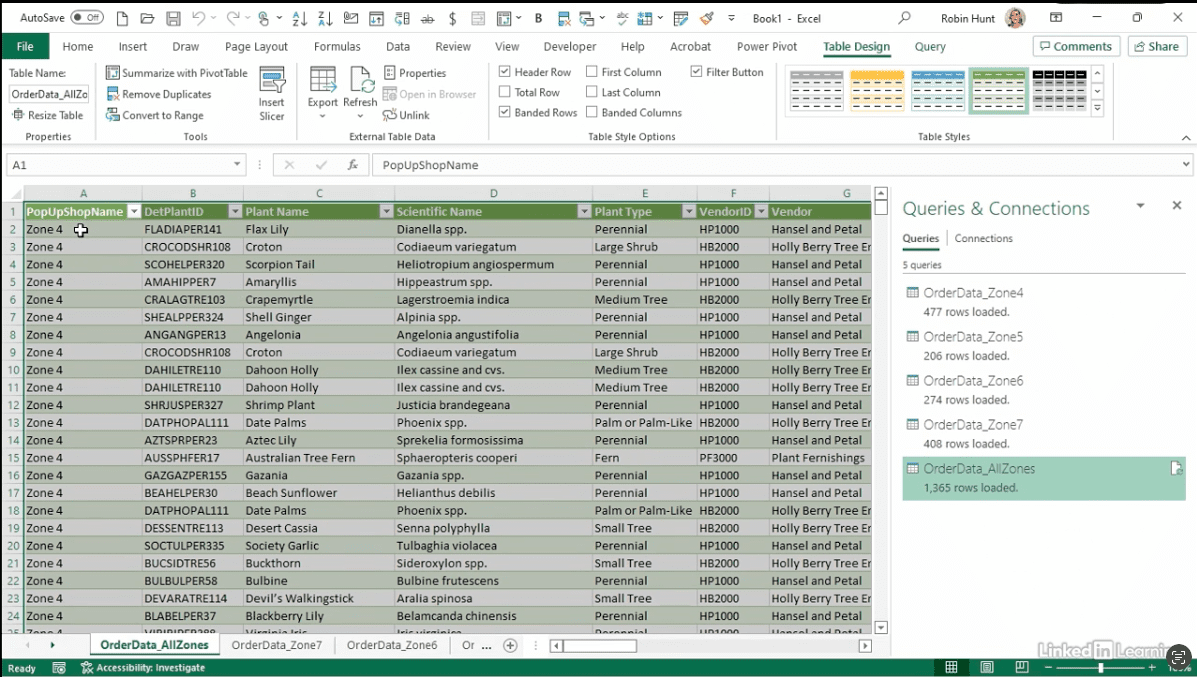
Learn how to combine multiple spreadsheets into a single dataset with append queries in Power Query. In this Data Survival Skills session, Robin demonstrates how to bring in individual Excel files—such as order data from four different shop zones—and merge them into one clean, analysis-ready table. She shows how to connect each file directly from Excel, use append queries to stack them together, and profile the results to confirm that all zones are included. Along the way, she highlights how to spot issues like inconsistent headers and quickly correct them so the combined dataset is reliable. This approach eliminates copy-and-paste, saves time, and ensures your data is ready for reporting and analysis without requiring SQL.
#PowerQuery #PowerBI #Excel #DataCleaning #DataAutomation #BusinessIntelligence #DataAnalytics #MicrosoftExcel
The Data Skills Survival Kit Series
If you’re a data analyst, you’ve no doubt learned different skills, techniques, and tools pertaining to data. But sometimes it can be difficult to know when and why to apply these tools. In this weekly series, instructor Robin Hunt explains a new skill, secret, tip, technique, best practice, or golden piece of advice in each installment. Robin covers topics that can help you do your job better, such as joining data and data designs, privacy for data, transforming and cleaning data, and making data sets and visualizing data.
Note: Because this is an ongoing series, viewers will not receive a certificate of completion.