
Sub-Total: $0.00
Using Unpivot to build data sets from Survey Results

Learn how to transform messy survey data into powerful insights. In this Data Survival Skills session, Robin shows how to use Unpivot in Power Query to restructure wide-format survey results into clean, record-based tables. By converting multiple-choice word selections into vertical records linked by respondent ID, she demonstrates how to compare responses across questions, add slicers, and uncover patterns in customer sentiment. This approach unlocks deeper analysis—turning raw survey checkboxes into actionable insights that reveal what customers truly value.
#PowerQuery #Unpivot #DataCleaning #SurveyAnalysis #PowerBI #Excel #DataVisualization #DataModeling #CustomerInsights #BusinessIntelligence
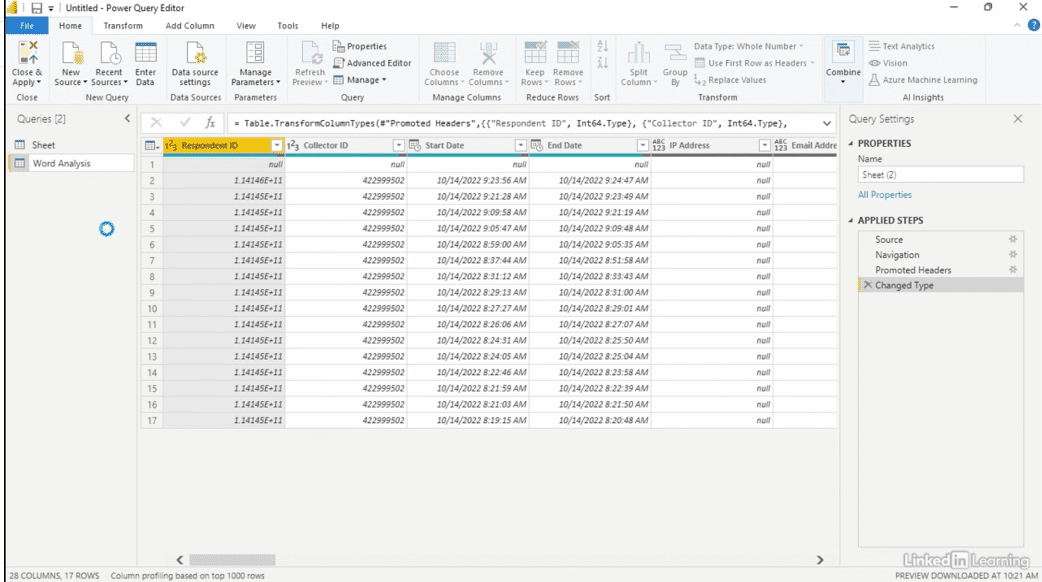

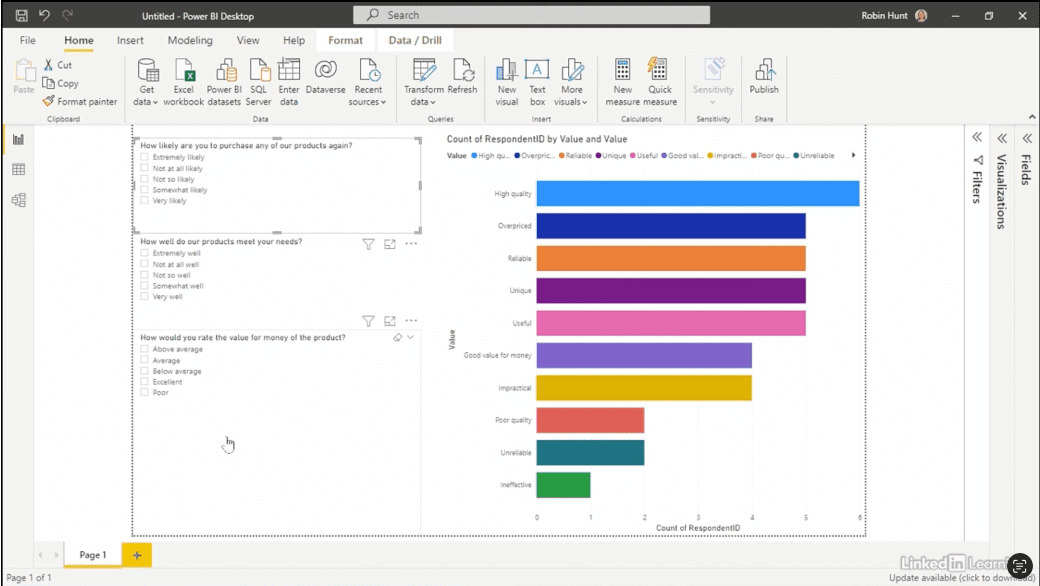
If you’re a data analyst, you’ve no doubt learned different skills, techniques, and tools pertaining to data. But sometimes it can be difficult to know when and why to apply these tools. In this weekly series, instructor Robin Hunt explains a new skill, secret, tip, technique, best practice, or golden piece of advice in each installment. Robin covers topics that can help you do your job better, such as joining data and data designs, privacy for data, transforming and cleaning data, and making data sets and visualizing data.
Note: Because this is an ongoing series, viewers will not receive a certificate of completion.